GUIDE · PLAYER

Player guide

How to use Mah Tables in your club: confirm your seat, sign up as hostess, follow the scoreboard and your card.

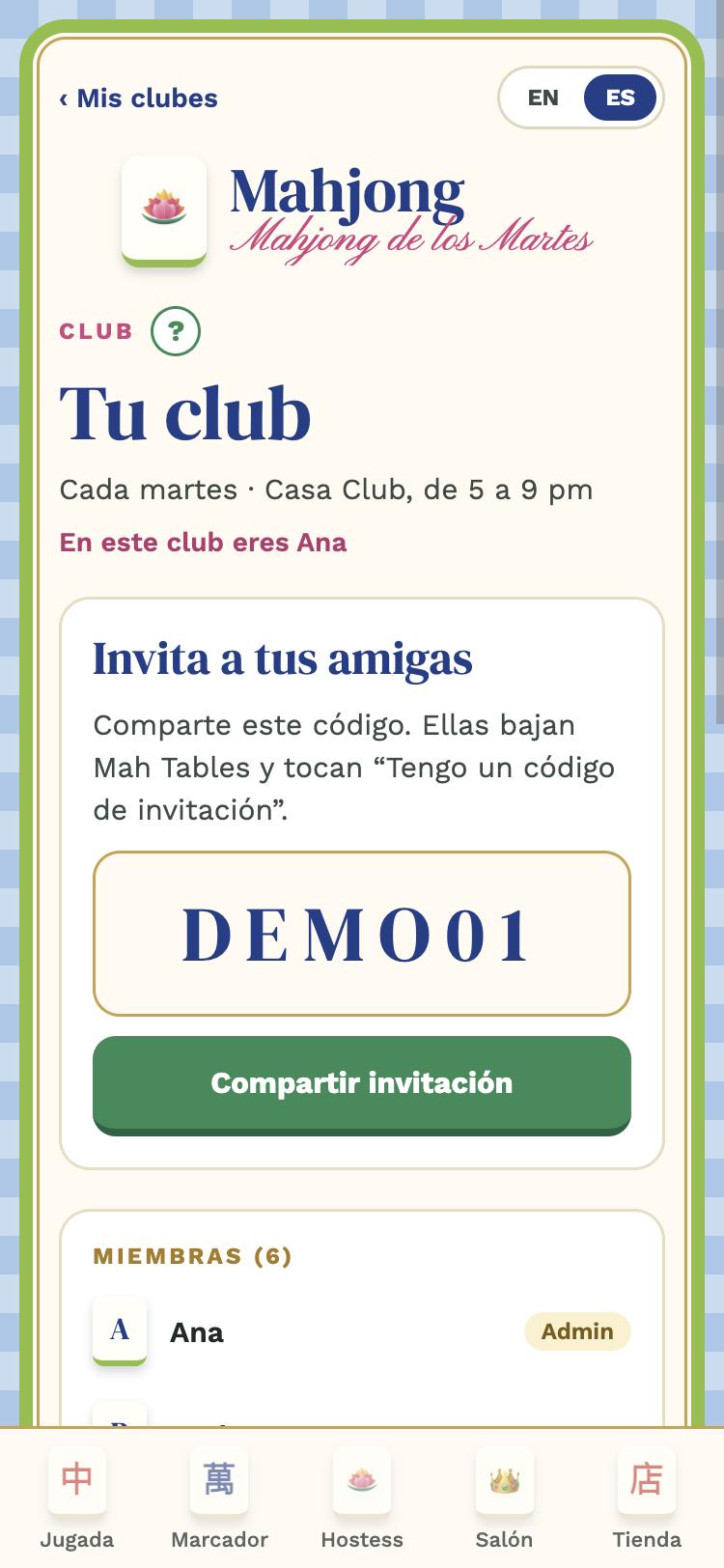
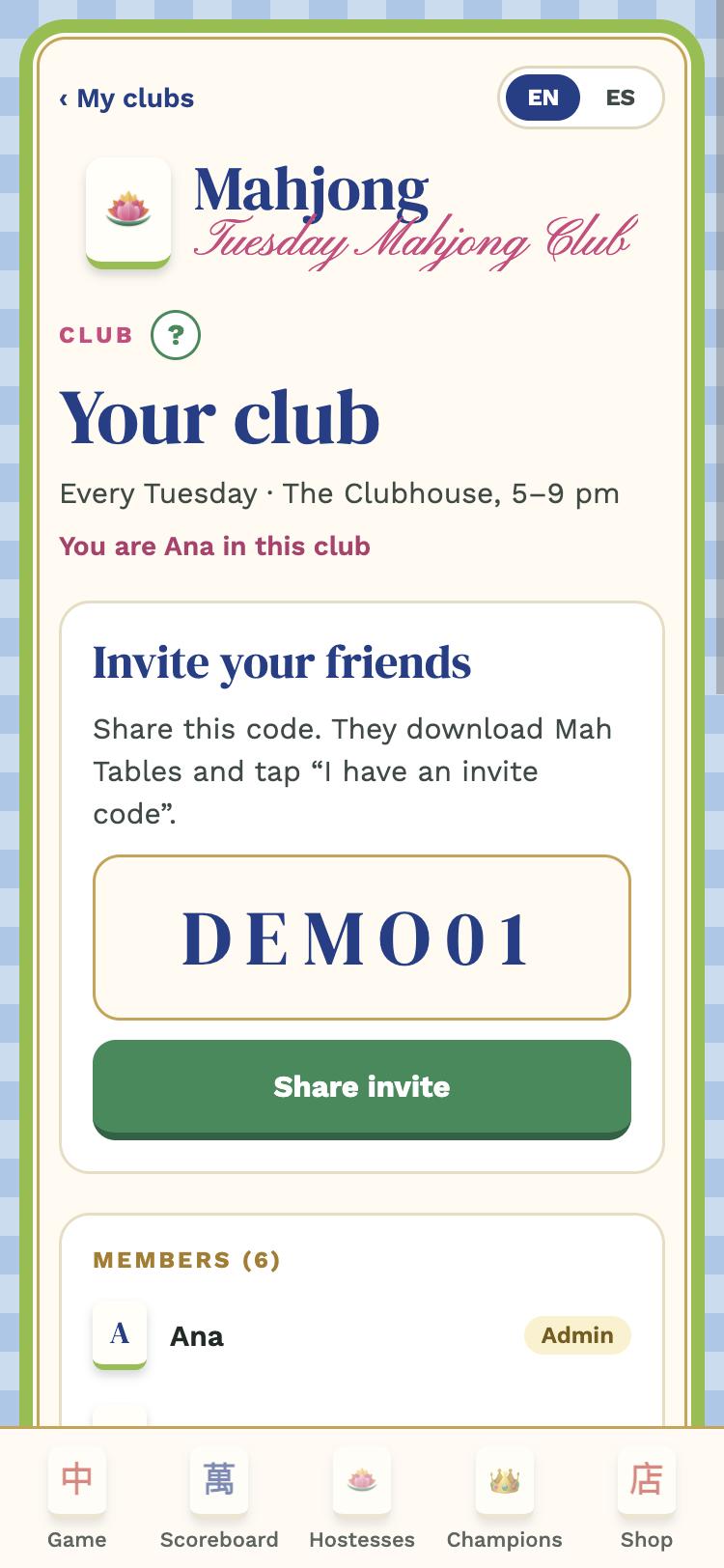
Club tab: your name and the members
1

Join your club

Download Mah Tables (App Store or Google Play), tap I have an invite code, sign in with your email (you get a 6-digit code, no passwords) and type the code your admin sent you.

Then the app asks Who are you?: pick your name from the list, just once. If you're not there, tap "I'm not on the list" and add yourself.
Next game with the tables
2

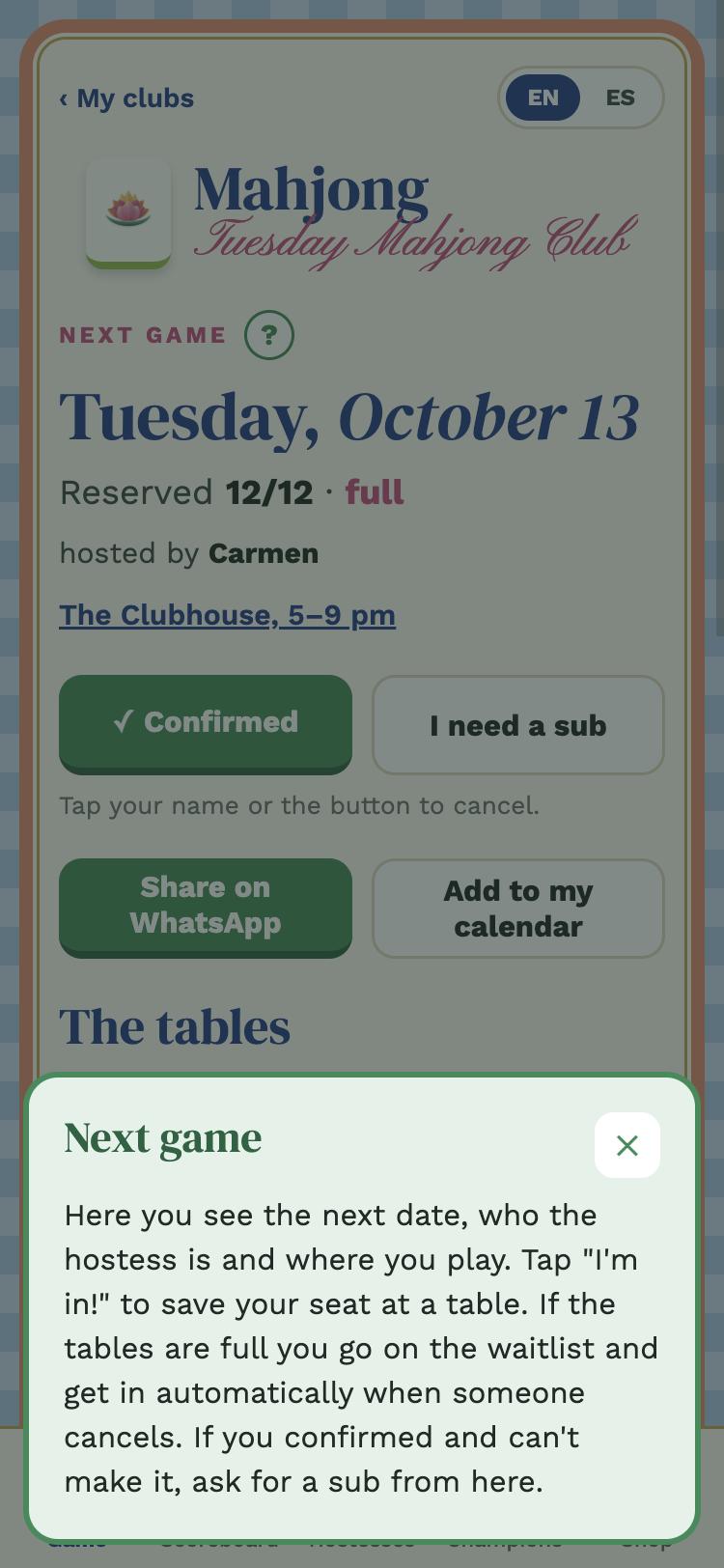
Next game

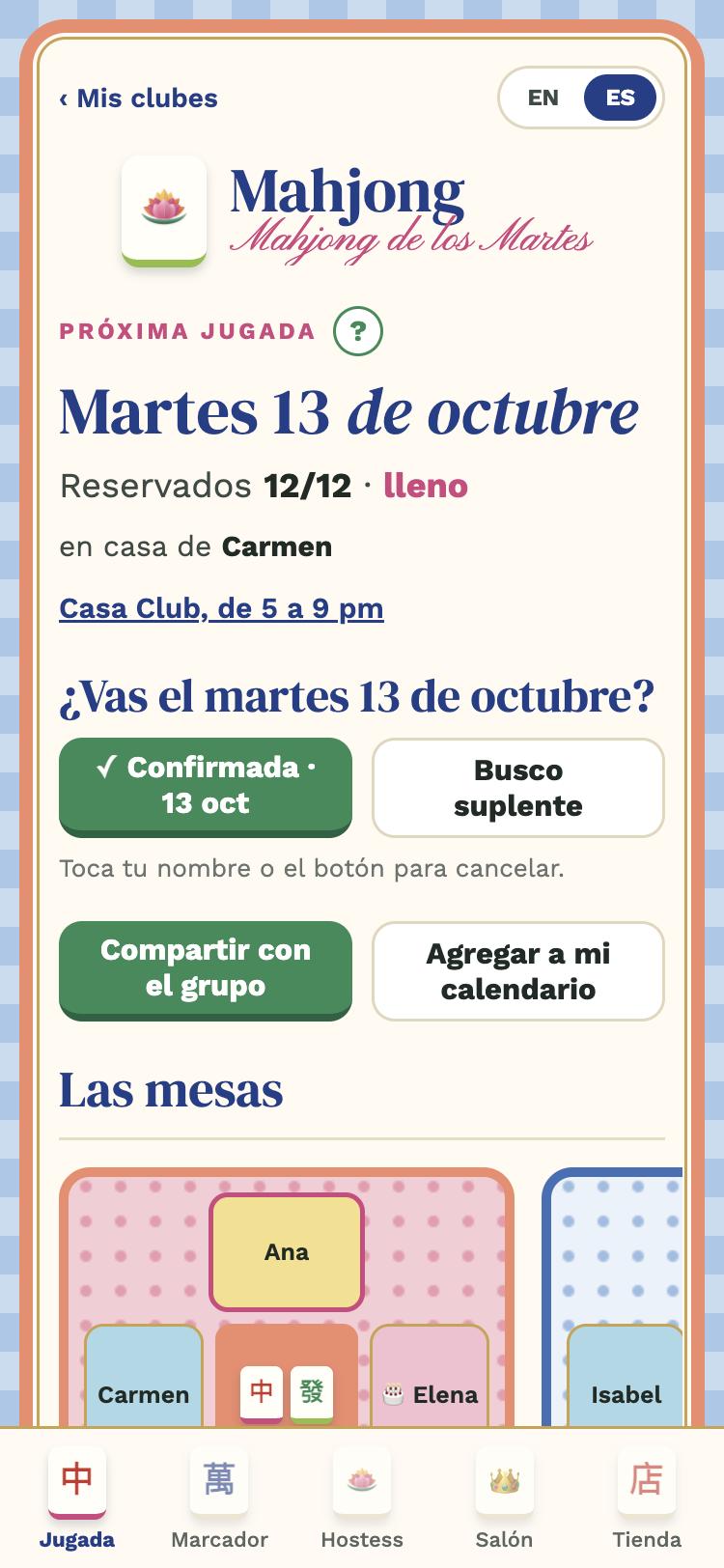
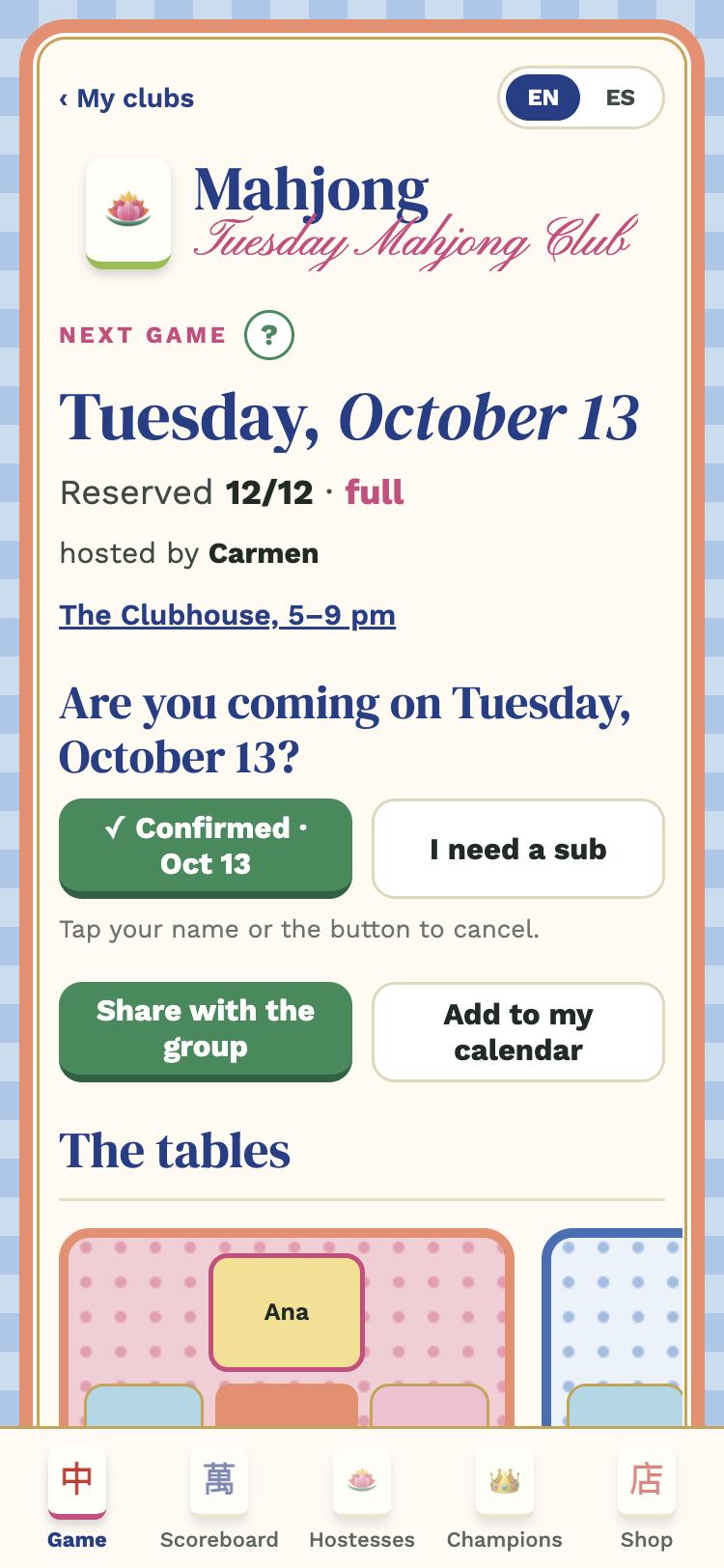
The first tab is the next date: who the hostess is, where you play and the tables.

  • Answer the question Are you coming…? with Confirm attendance: it saves your seat at a table. If it's full you go on the waitlist and get in automatically when someone cancels (you get a notice).
  • I can't this time if you're not coming, so the admin knows you answered. I need a sub if you confirmed and then can't make it.
  • Add to my calendar puts the game in your phone's calendar.
  • Share with the group opens your phone's share sheet (Messages, WhatsApp, email…) with the summary ready.
Tap your name at the table (or the green button) to cancel your confirmation.
Hostess list by month
3

Hostess

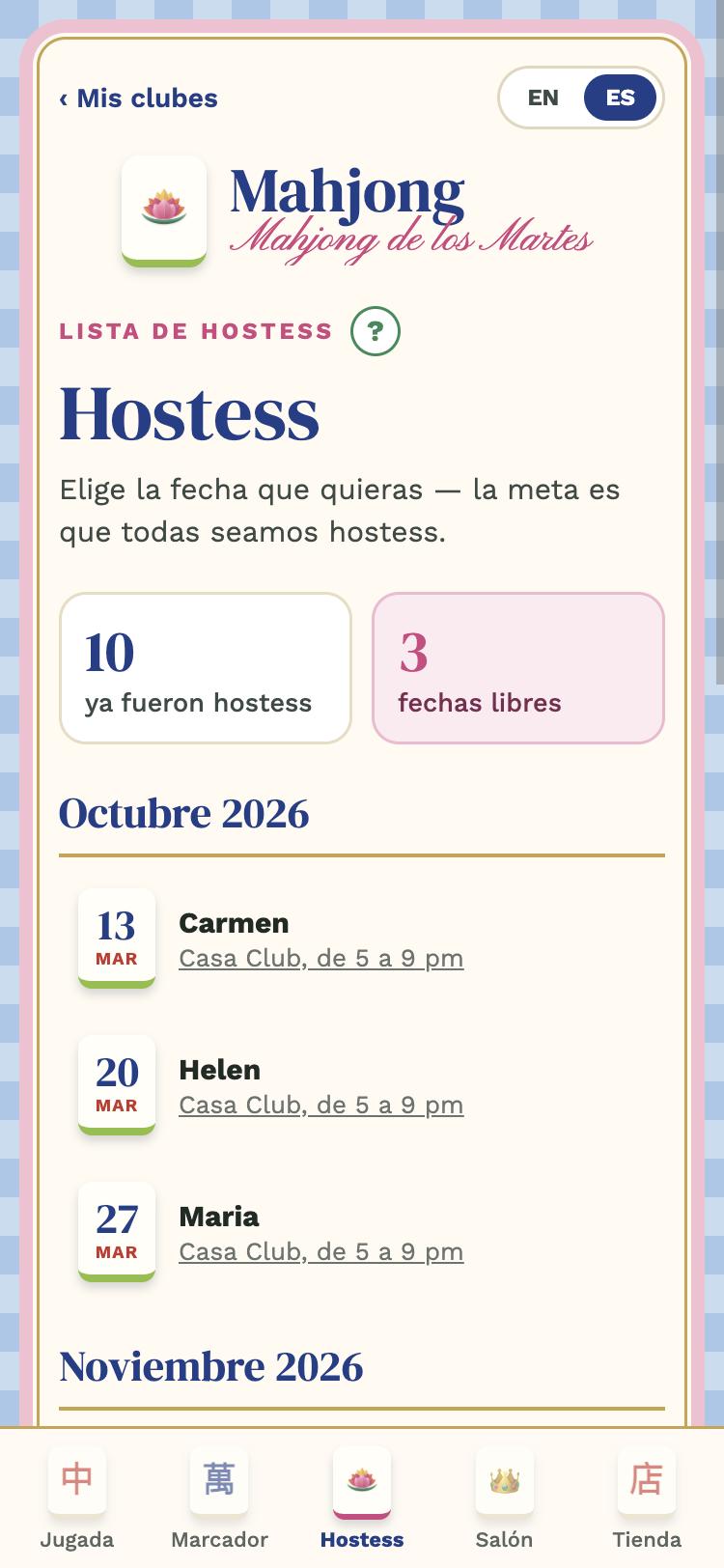
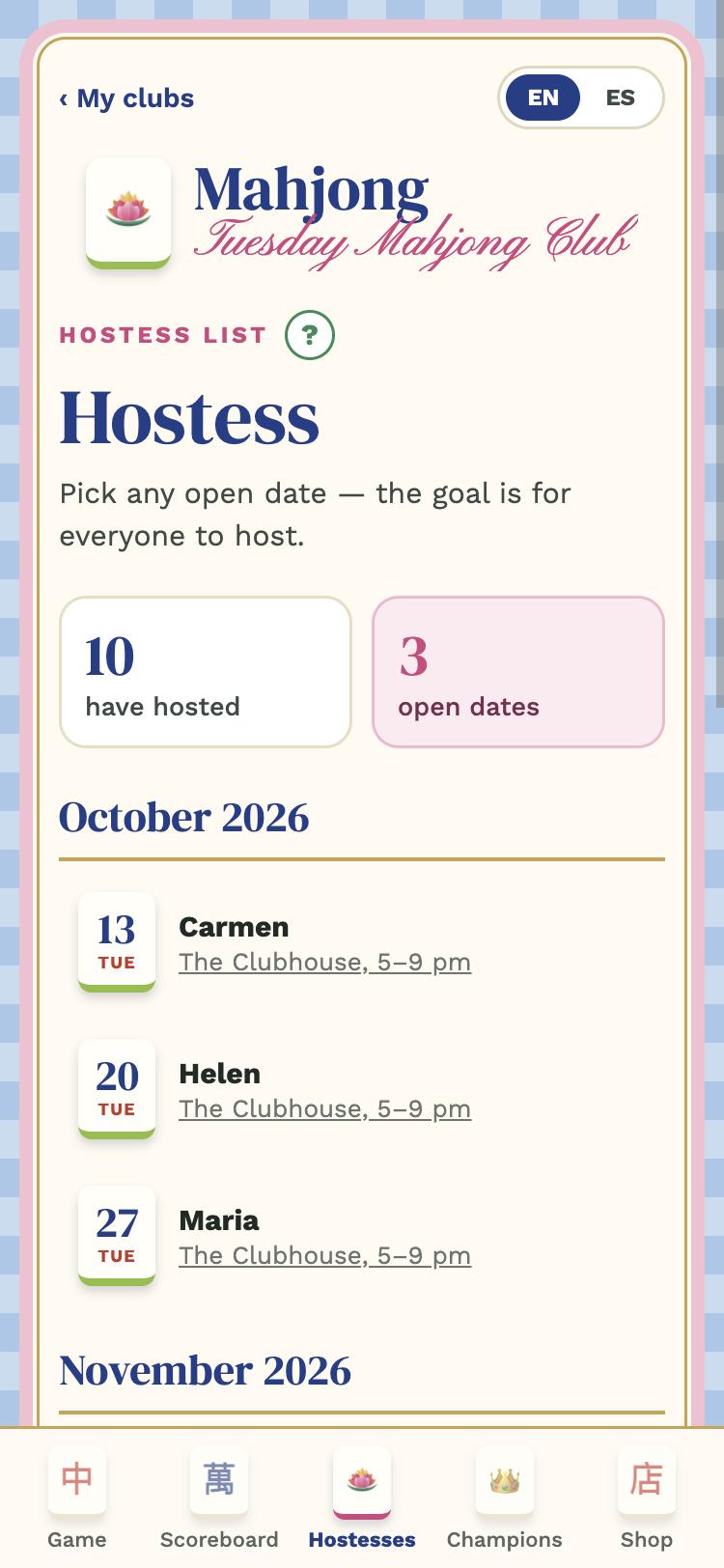
Every game needs a hostess: who receives that night. In the Hostess tab tap I'll take it on a free date. If you can't anymore, release the date so someone else can take it.

The goal is for everyone to host once. In some clubs, whoever has never signed up doesn't compete for the monthly prize.

Monthly scoreboard
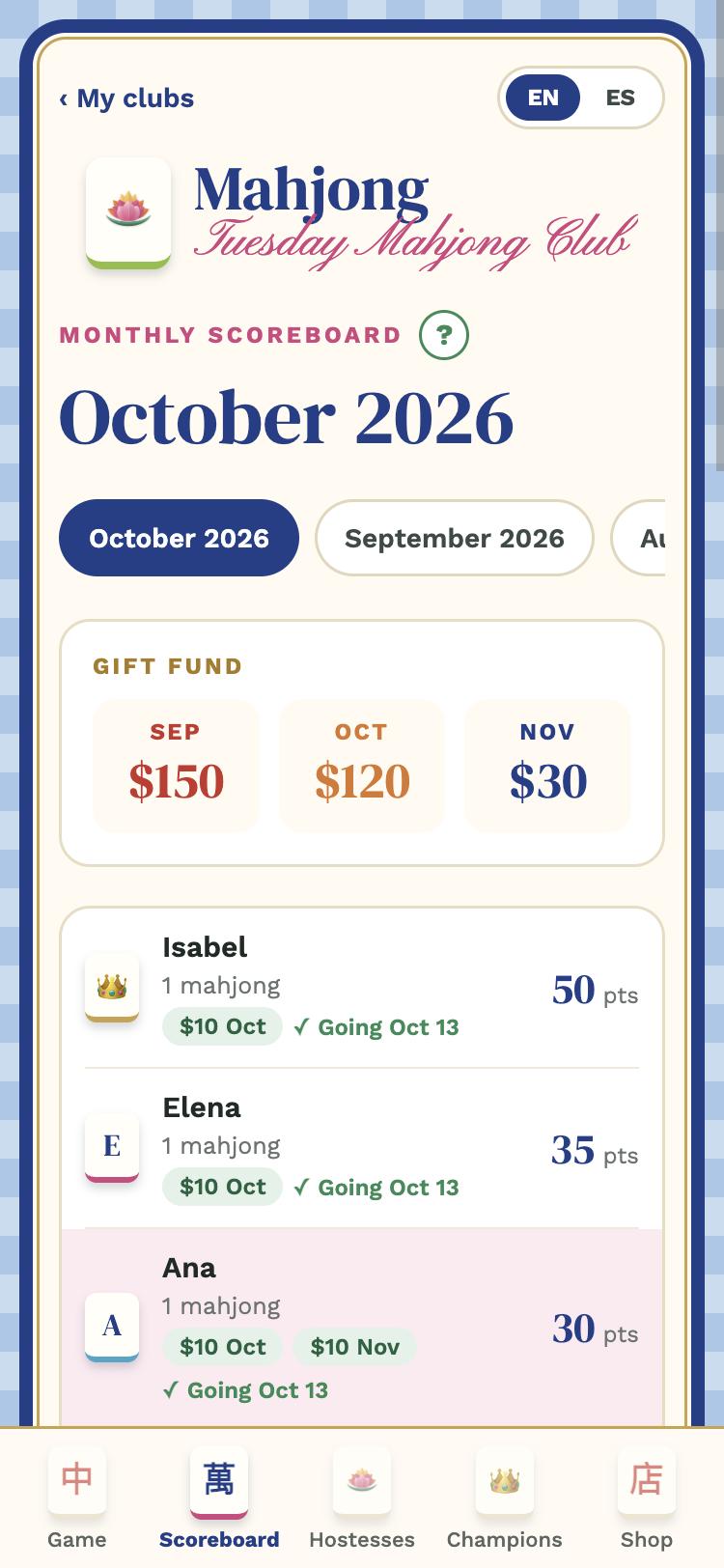
Monthly scoreboard
4

Scoreboard and your card

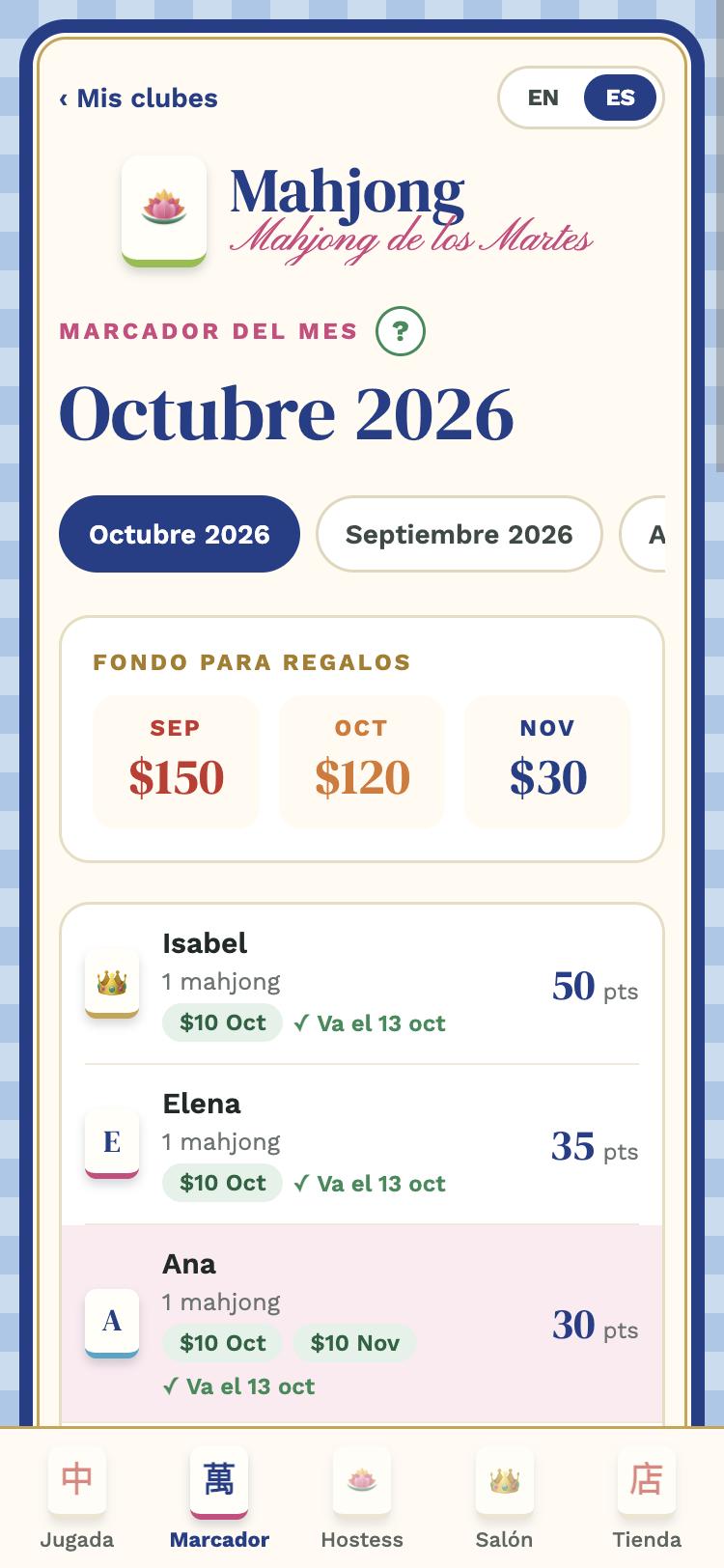
The Scoreboard shows each player's points for the month; whoever collects the most wins and wears the crown 👑. Change the month at the top; the gift fund shows what has been collected from the fees: it pays for the little gifts during the month and the end-of-month prize.

Tap your name to open your card: your points, hostess dates, your status for the next game, your account statement by month, payment instructions and My notices. From there you also choose who you like sitting with (table preferences).

Hall of Fame
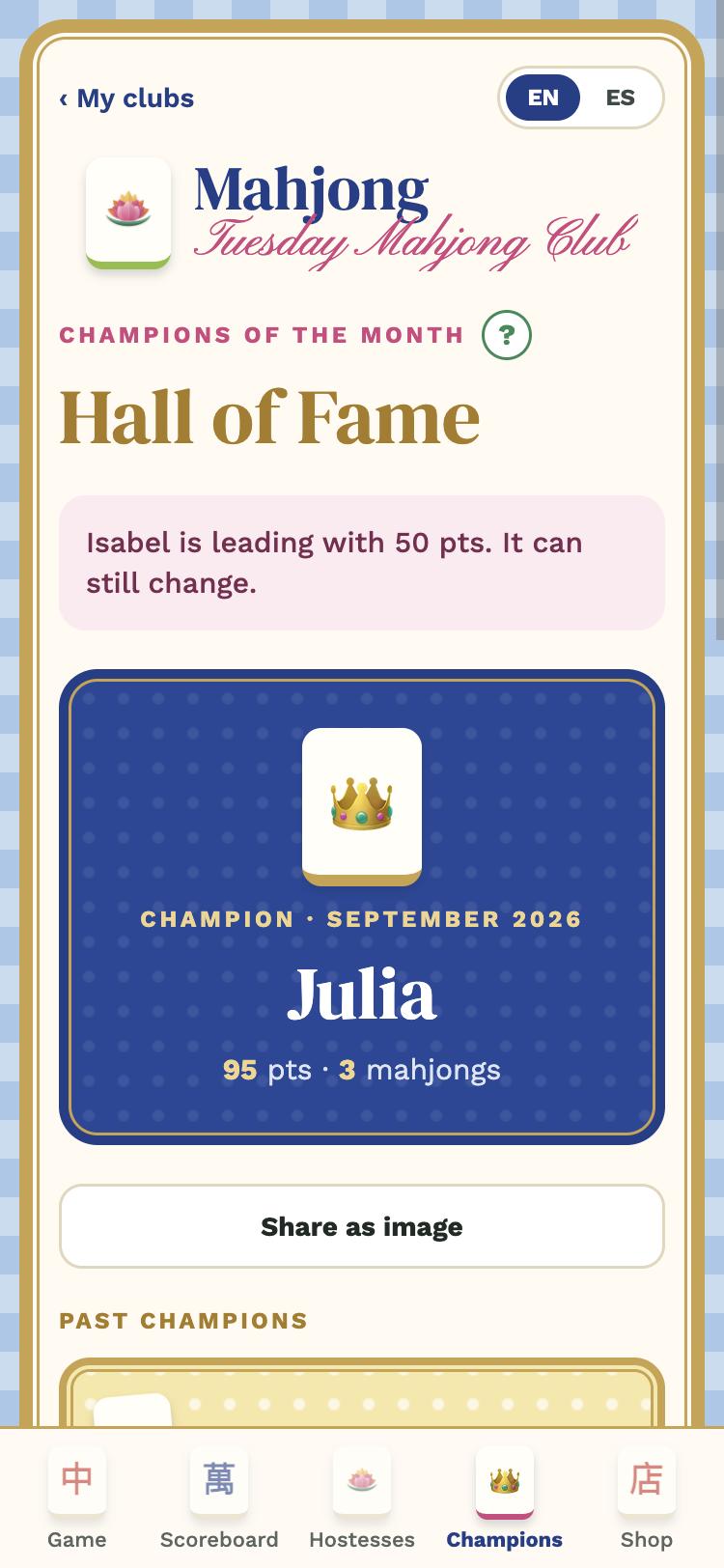
Hall of Fame
5

Hall of Fame

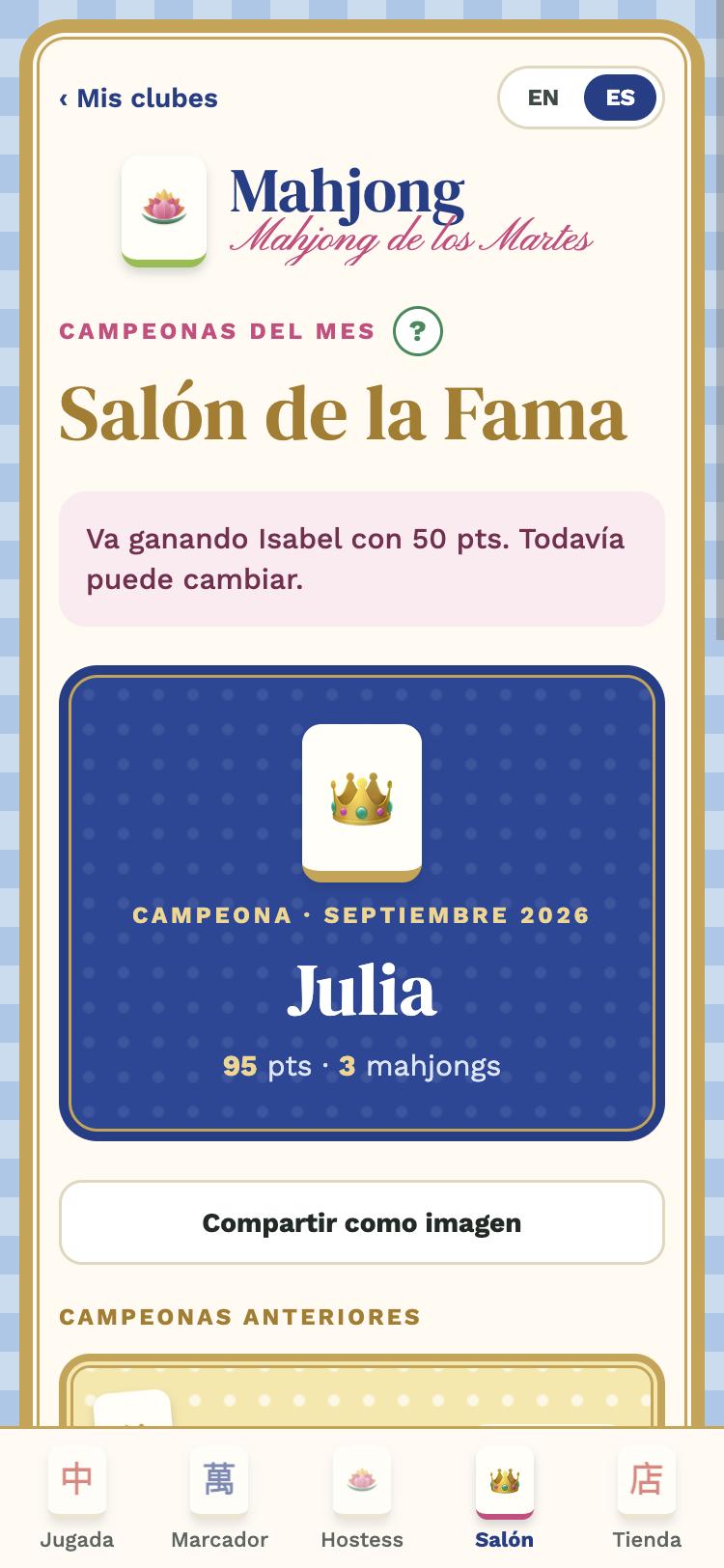
The champions of each month. The current month closes on the 1st of the next one and the crown no longer changes. Below is the history: every mahjong recorded, by night and card line.

With Share as image you send the scoreboard or the hall to your group or your social media.

6

Notices and settings

  • Notices: the app tells you about new dates, seats that open up, your table, the day-of reminder, birthdays and news. Keep them on.
  • Language: English | Español at the top of every screen.
  • Large text: in My account, Normal, Large or Extra large.
  • No signal: without reception you see the last copy of the club saved on your phone.
The green help window
7

The green "?"

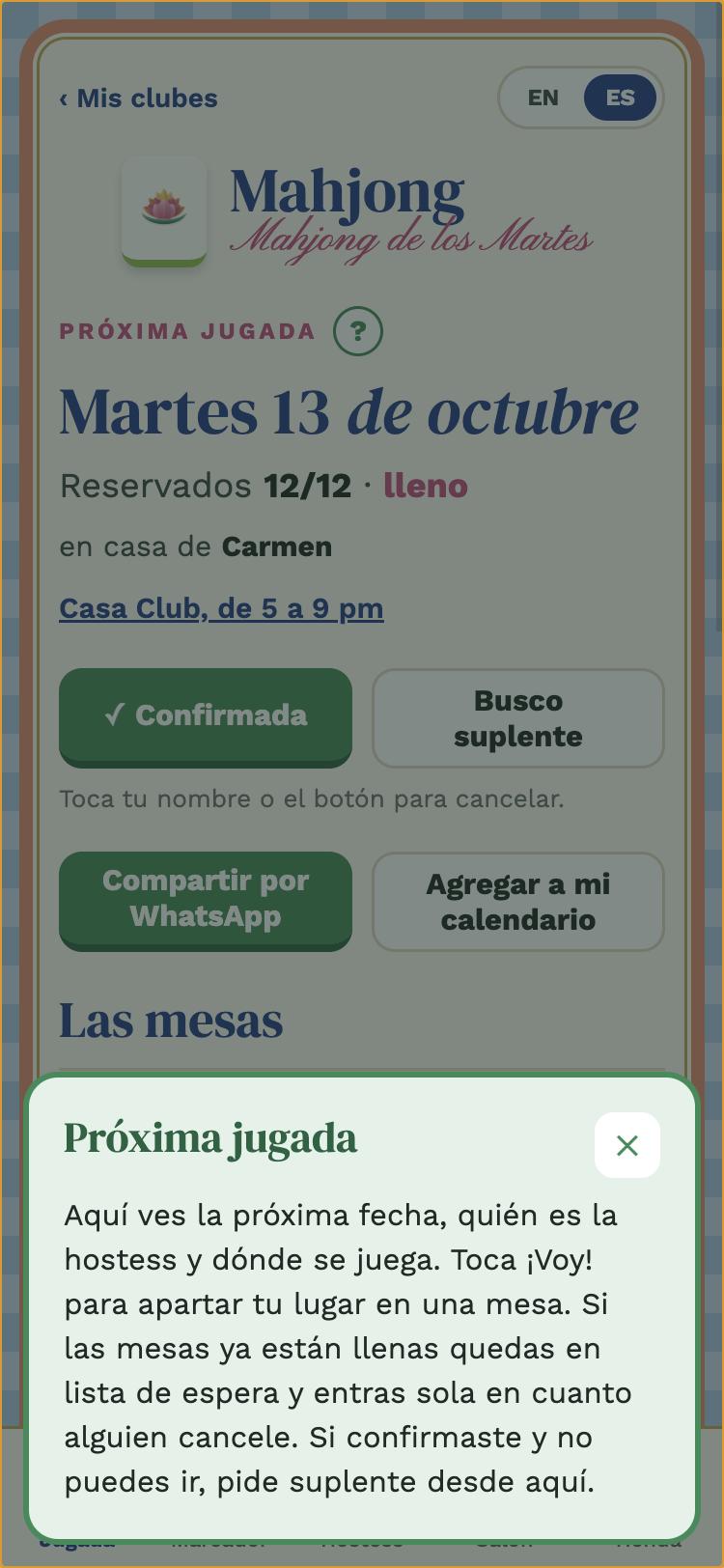
Every screen has a ? button next to the title. Tap it and a window explains that place. You can come back to this guide from the Club tab → Player guide.

Questions?

Ask your club admin, or write to [email protected].

GUÍA · JUGADORA

Guía de la jugadora

Cómo usar Mah Tables en tu club: confirma tu lugar, apúntate de hostess, sigue el marcador y tu tarjeta.

Pestaña Club: tu nombre y las miembras
1

Entra a tu club

Baja Mah Tables (App Store o Google Play), toca Tengo un código de invitación, entra con tu correo (te llega un código de 6 dígitos, sin contraseñas) y escribe el código que te mandó tu administradora.

Después el app pregunta ¿Quién eres?: elige tu nombre de la lista, una sola vez. Si no estás, tócate "No estoy en la lista" y te agregas.

Próxima jugada con las mesas
2

Próxima jugada

La primera pestaña es la próxima fecha: quién es la hostess, dónde se juega y las mesas.

  • Responde a la pregunta ¿Vas el…? con Confirmar asistencia: aparta tu lugar en una mesa. Si ya está lleno quedas en lista de espera y entras sola cuando alguien cancele (te llega un aviso).
  • No puedo esta vez si no vas: así la administradora sabe que ya contestaste. Busco suplente si confirmaste y después no puedes ir.
  • Agregar a mi calendario mete la jugada en el calendario de tu teléfono.
  • Compartir con el grupo abre la hoja de compartir de tu teléfono (Mensajes, WhatsApp, correo…) con el resumen listo.
Toca tu nombre en la mesa (o el botón verde) para cancelar tu confirmación.
Lista de hostess por mes
3

Hostess

Cada jugada necesita una hostess: quien recibe esa noche. En la pestaña Hostess toca Apuntarme en una fecha libre. Si después no puedes, suelta la fecha para que otra la tome.

La meta es que todas seamos hostess una vez. En algunos clubes, quien nunca se ha apuntado no compite por el premio del mes.

Marcador del mes
Marcador del mes
4

Marcador y tu tarjeta

El Marcador muestra los puntos del mes de cada jugadora; gana la que más junta y lleva la corona 👑. Arriba cambias de mes; el fondo de regalos muestra lo que se ha juntado con las cuotas: paga los regalitos de las jugadas del mes y el premio de fin de mes.

Toca tu nombre para abrir tu tarjeta: tus puntos, tus fechas de hostess, tu estado para la próxima jugada, tu estado de cuenta por mes, las instrucciones para pagar y Mis avisos. Desde ahí también eliges con quién te gusta sentarte (preferencias de mesa).

Salón de la Fama
Salón de la Fama
5

Salón de la Fama

Las campeonas de cada mes. El mes en curso se cierra el día 1 del siguiente y la corona ya no cambia. Abajo está el historial: cada mahjong anotado, por noche y por línea de la carta.

Con Compartir como imagen mandas el marcador o el salón al grupo o a tus redes.

6

Avisos y ajustes

  • Avisos: el app te avisa de fechas nuevas, lugares que se liberan, tu mesa, el recordatorio del día, cumpleaños y noticias. Déjalos encendidos.
  • Idioma: English | Español arriba de cada pantalla.
  • Letra grande: en Mi cuenta, Normal, Grande o Muy grande.
  • Sin señal: si no hay red ves la última copia del club guardada en tu teléfono.
La ventana de ayuda verde
7

Los "?" verdes

En cada pantalla hay un botón ? junto al título. Al tocarlo se abre una ventana que explica ese lugar. Puedes volver a esta guía desde la pestaña Club → Guía de la jugadora.

¿Dudas?

Pregúntale a la administradora de tu club o escríbenos a [email protected].