GUIDE · SUB-ADMIN

Sub-admin guide

Your job on game night: record the mahjongs at your table in two taps.

1

What a sub-admin does

The admin made you a sub-admin: on game night you record the mahjongs at your table so she doesn't have to go table by table. That's the only thing that changes; everything else you see like any player.

Money, players, calendar and settings stay with the admin.

The Record mahjong window
2

Record a mahjong

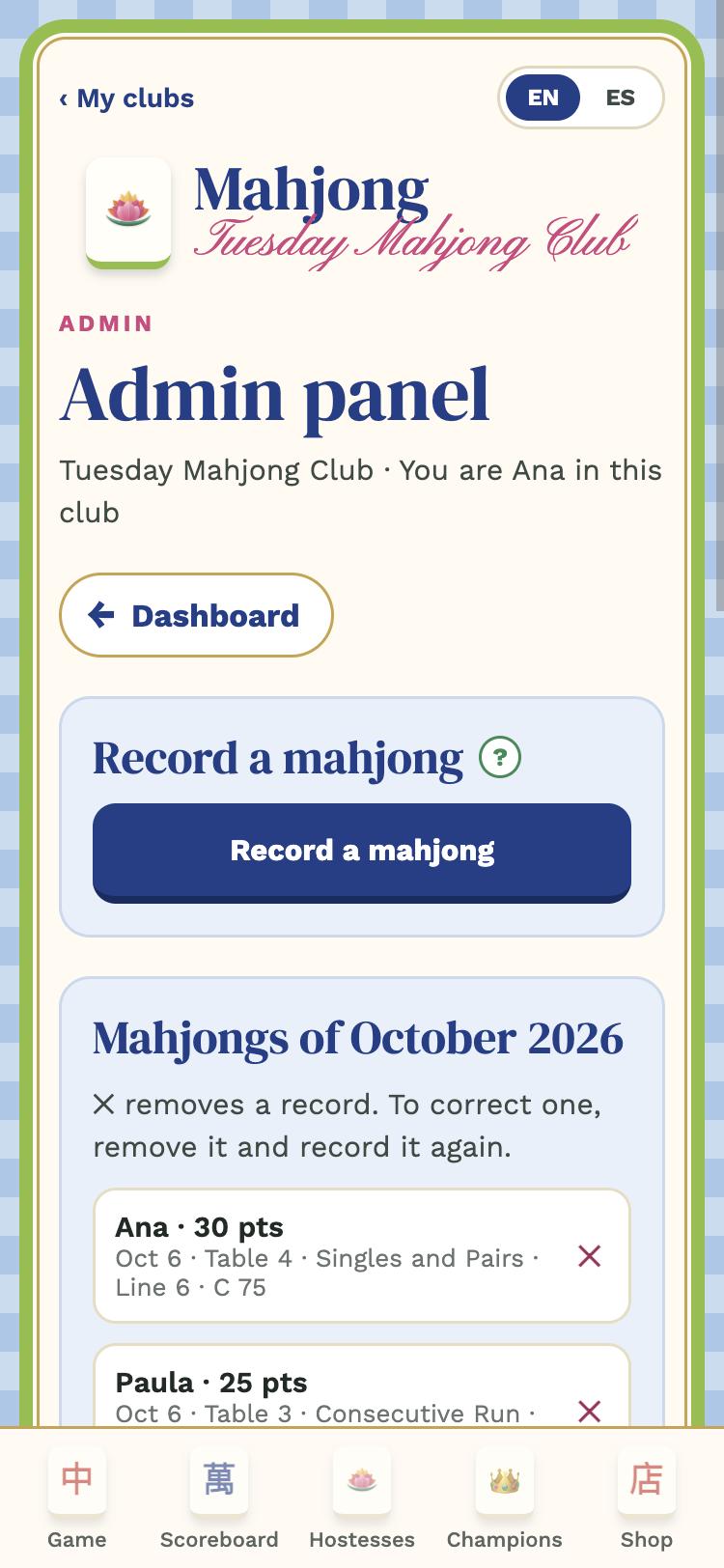
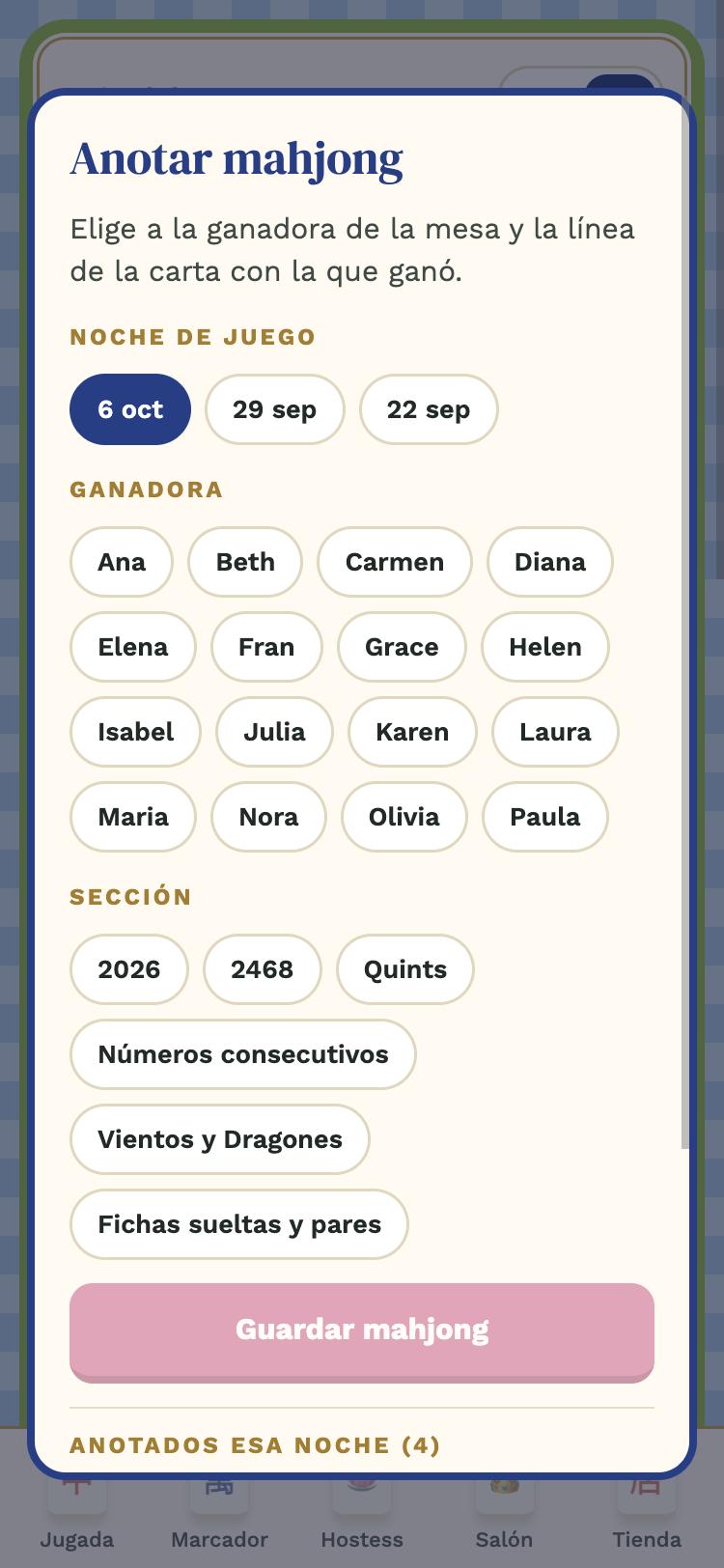
When someone at your table makes mahjong, open the Club tab (your sub-admin panel) and tap Record a mahjong:

  • Night: usually tonight (already selected).
  • Winner: tap her name. Tonight's confirmed players come first; "all players" shows the whole list.
  • Card section and line: the section (for example 2468 or Consecutive Run) and the line number. Points and X or C come from the card.

Tap Save. The scoreboard updates on everyone's phone.

No signal: if the house has no reception, the mahjong is saved on your phone and sent by itself when the signal returns.
3

Fix a mistake

Below the window are tonight's recorded mahjongs. If you picked the wrong player or line, tap ✕ to remove it and record it again. You can also delete from the "Mahjongs of the month" list in your panel.

Everything goes to the admin's activity log with your name, so any doubt is settled in a moment.

Sub-admin panel
Sub-admin panel
4

Your panel and the green "?"

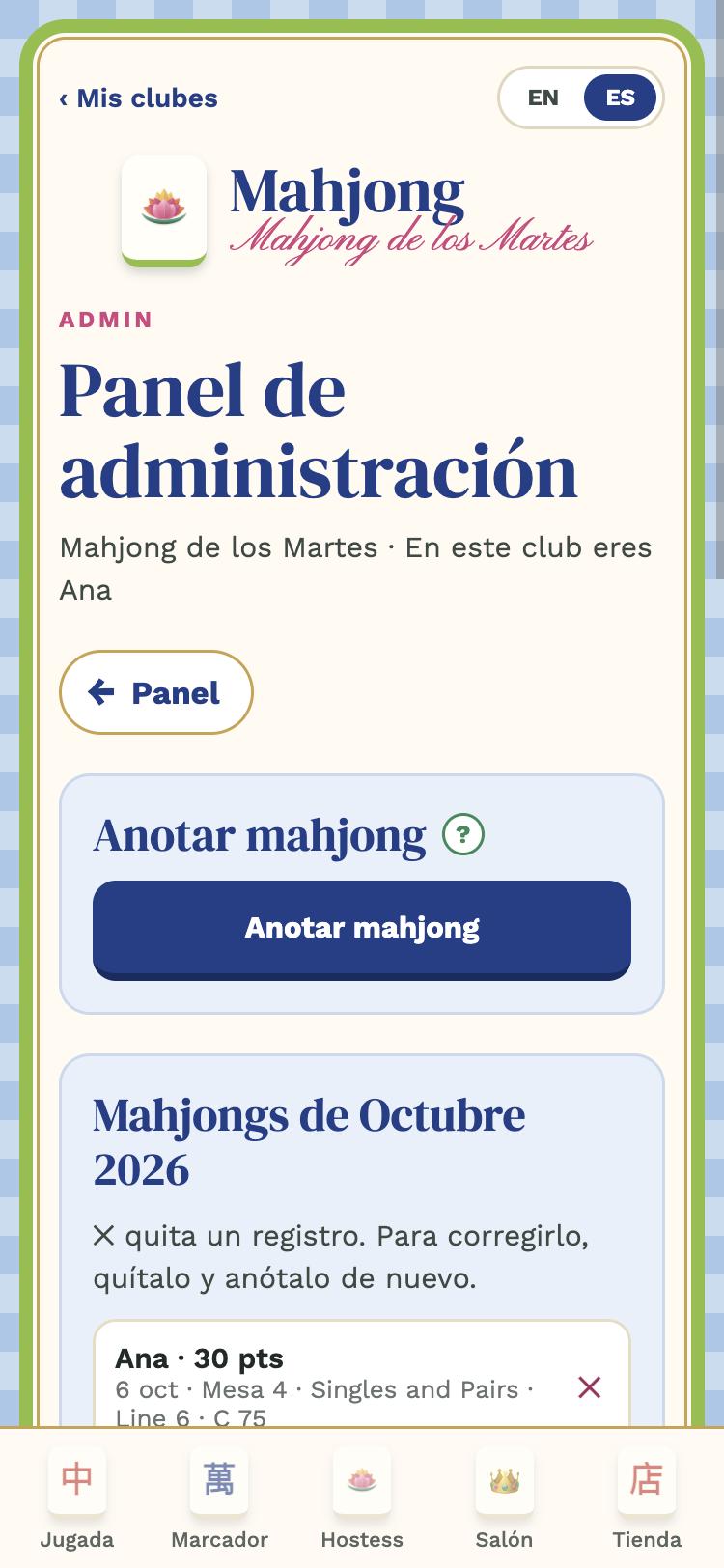
Your panel only has Record a mahjong, the mahjongs of the month and, below, the Sub-admin guide button that opens this page. Every screen has a ? button that explains that place.

Questions?

Ask your club admin, or write to [email protected].

GUÍA · SUBADMINISTRADORA

Guía de la subadministradora

Tu tarea la noche de juego: anotar los mahjongs de tu mesa en dos toques.

1

Qué hace una subadministradora

La administradora te nombró subadministradora: en la noche de juego tú anotas los mahjongs de tu mesa para que no tenga que ir mesa por mesa. Es lo único que cambia; todo lo demás lo ves igual que cualquier jugadora.

El dinero, las jugadoras, el calendario y los ajustes siguen siendo de la administradora.

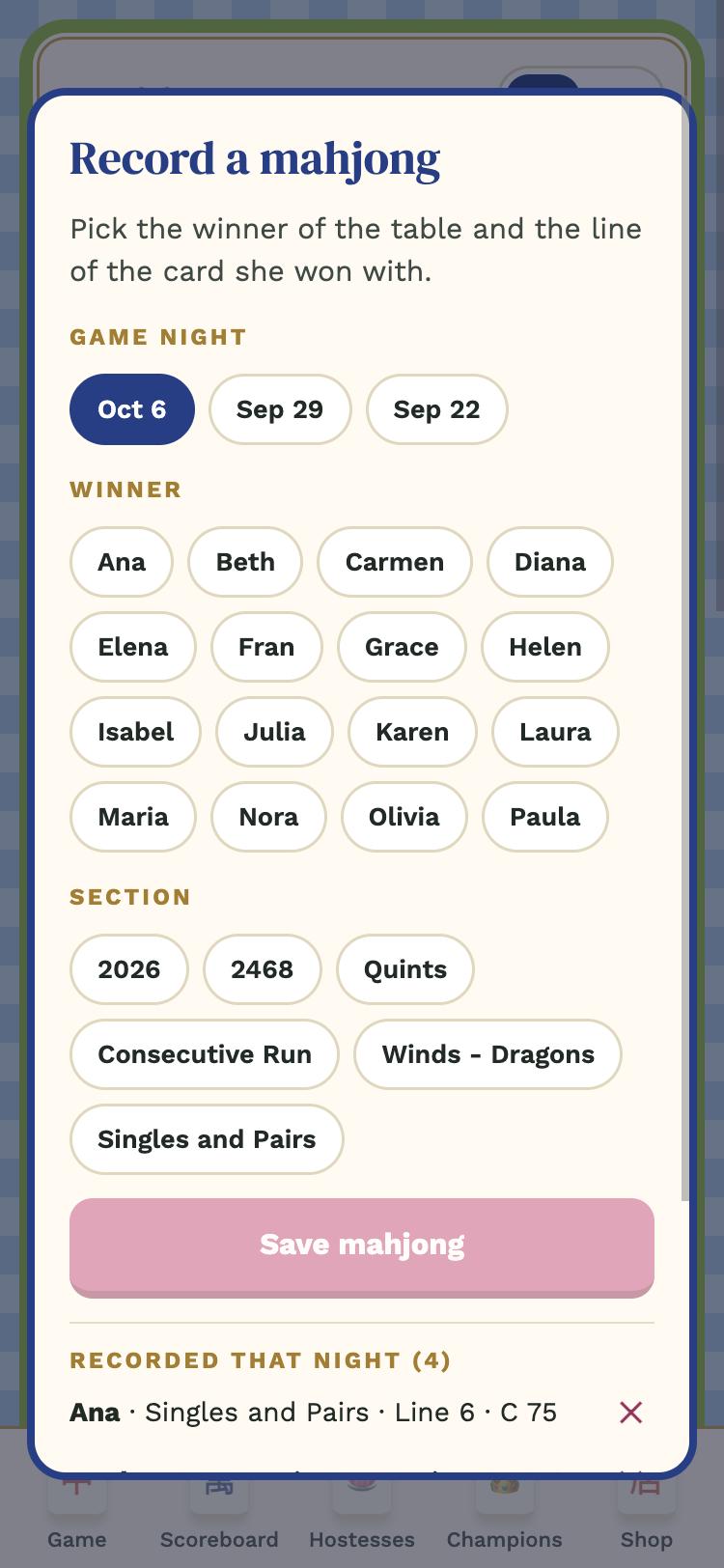
Ventana Registrar mahjong
2

Registrar un mahjong

Cuando alguien de tu mesa hace mahjong, abre la pestaña Club (tu panel de subadministradora) y toca Anotar mahjong:

  • Noche: normalmente la de hoy (ya viene elegida).
  • Ganadora: toca su nombre. Primero salen las confirmadas de esa noche; con "todas las jugadoras" ves la lista completa.
  • Sección y línea de la carta: la sección (por ejemplo 2468 o Consecutive Run) y el número de línea. Los puntos y si es X o C los pone la carta.

Toca Guardar. El marcador se actualiza en el teléfono de todas.

Sin señal: si en la casa no hay red, el mahjong se guarda en tu teléfono y se manda solo cuando vuelva la señal.
3

Corregir

Abajo de la ventana están los mahjongs anotados esta noche. Si te equivocaste de jugadora o de línea, toca ✕ para quitarlo y vuélvelo a anotar. También puedes borrar desde la lista "Mahjongs del mes" de tu panel.

Todo queda en la bitácora de la administradora con tu nombre, así que cualquier duda se aclara en un momento.

Panel de subadministradora
4

Tu panel y los "?" verdes

Tu panel solo tiene Anotar mahjong, los mahjongs del mes y, abajo, el botón Guía de la subadministradora que abre esta página. En cada pantalla hay un botón ? que explica ese lugar.

¿Dudas?

Pregúntale a la administradora de tu club o escríbenos a [email protected].